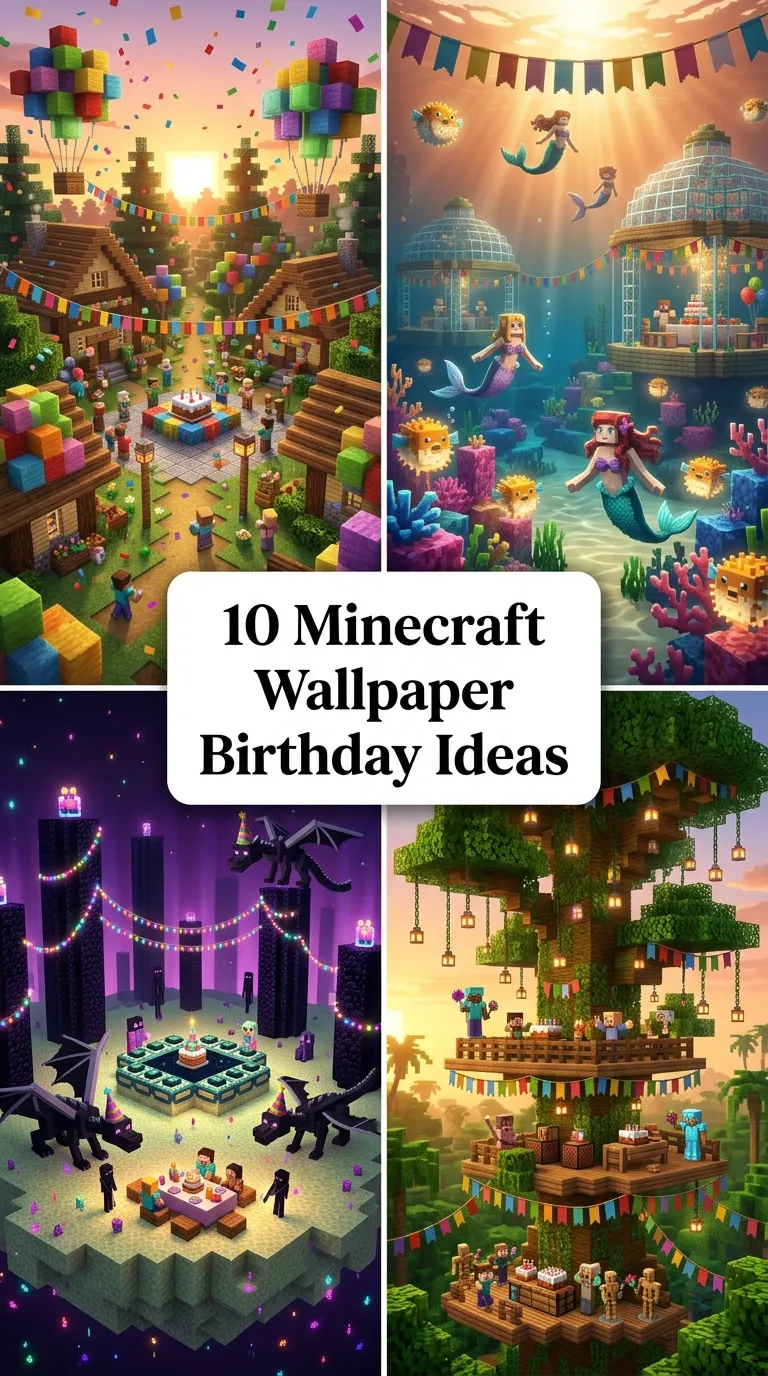
10 Minecraft Wallpaper Birthday Ideas
10 Minecraft Wallpaper Birthday Ideas
Introduction
Creating custom Minecraft-themed birthday wallpapers transforms digital screens into festive, personalized celebration backdrops for gaming parties and social posts. These high-resolution digital backgrounds blend iconic in-game voxel architecture, celebratory mob gatherings, and custom typography to commemorate special milestones. This comprehensive guide details ten distinct Minecraft birthday wallpaper concepts, focusing on balanced compositional framing, dynamic shader lighting, festive prop integration, and color harmony. Readers will learn the core fundamentals of arranging scene assets, setting depth of field, balancing celebratory banners, and personalizing voxel layouts. Whether designing custom phone lock screens, widescreen tablet backdrops, or printable party posters, thoughtful digital scene composition delivers an immersive, celebratory aesthetic that thrills any sandbox gaming enthusiast.
Why This Idea Is Trending or Useful
Minecraft birthday wallpapers have become widely popular across digital design and gaming communities because they deliver personalized celebratory visuals with immense creative flexibility. Digital celebrations and themed gaming parties increasingly demand custom wallpapers for party invitations, smart display backgrounds, and commemorative social media graphics. For creators and digital artists alike, crafting celebratory voxel wallpapers offers an accessible canvas to experiment with 3D render software, dramatic cinematic shaders, and custom texturing. The boundless variety of in-game biomes, mobs, and items allows creators to tailor each wallpaper to the recipient’s favorite aesthetic, ranging from explosive TNT party arenas to serene pastel cherry blossom picnics, making it a thoughtful, modern gift.
Materials and Preparation
Achieving crisp, high-impact digital wallpapers requires proper tool preparation and scene asset planning before rendering or capturing footage. Essential software tools include 3D animation suites like Mine-imator, Blender with voxel rigs, or in-game Minecraft installations equipped with high-end shader packs such as BSL, Complementary, or SEUS. Gather core visual assets including custom player skins, celebratory block textures like decorated cakes and dyed wool banners, party hat item models, and pixelated birthday fonts. Begin by establishing your canvas aspect ratio, selecting 16:9 for widescreen desktop displays or 9:16 for vertical mobile lock screens. Ensure lighting sources, focal angles, and depth of field are properly aligned to keep the birthday subject clear and visually prioritized before final export.
Main Ideas Section
Idea 1: The Classic Creeper Party Surprise
How to Create
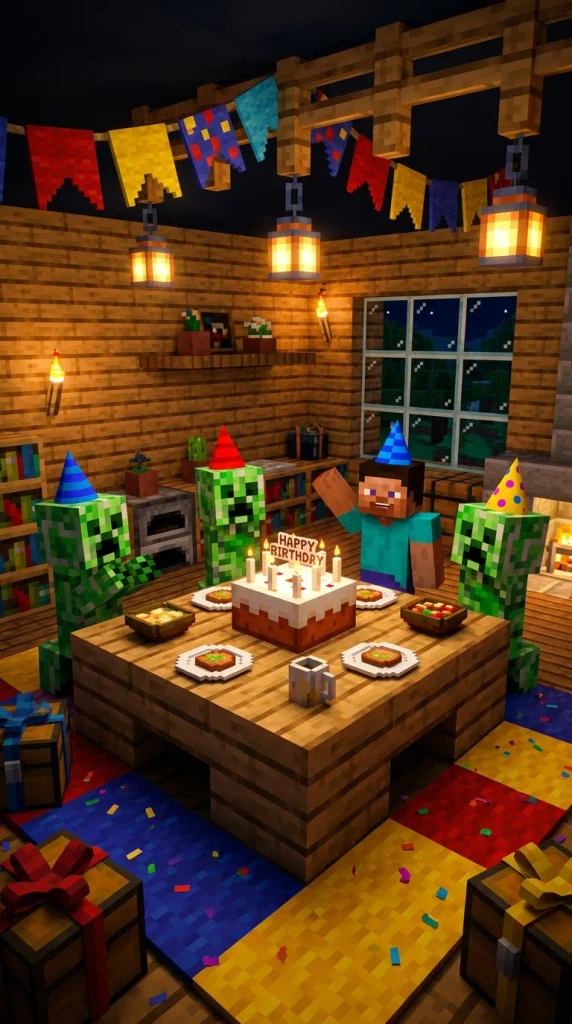
Stage a bustling scene inside an oak-plank living room with a centered wooden table holding an iconic Minecraft square cake with lit white candles. Position three friendly creepers wearing colorful cone party hats around the table alongside the birthday player’s custom character skin. String colorful wool-carpet banners spelling out a festive birthday greeting along the upper ceiling rafters. Use a vibrant shader pack with soft ray tracing to cast warm amber candle glow across the characters’ pixelated faces. Scatter wrapped gift boxes—textured like custom colored chests with ribbon bands—across the floor alongside dropped confetti particles. Keep the camera at eye level with a slight wide-angle lens to capture the celebratory mob gathering in crisp detail.
Idea 2: Explosive TNT Confetti Arena
Setup Method
Construct a vibrant arena backdrop featuring stacked red TNT blocks interspersed with colorful firework rocket launch tubes. Position the primary birthday character in the center wearing enchanted diamond armor while holding an ignited sparkler torch or firework rocket aloft. Program dynamic particle effects into the 3D scene to render exploding pixelated confetti, colorful sparks, and floating XP orbs in mid-air around the character. Set the background environment to dusk or midnight to maximize the radiant glow from the firework bursts and glowing redstone wire traces across the floor. Frame the scene with a dynamic low-angle composition that gives the celebratory explosive theme high energy, bold contrast, and dramatic action.

Idea 3: Cherry Blossom Picnic Gathering
Step-by-Step Guide
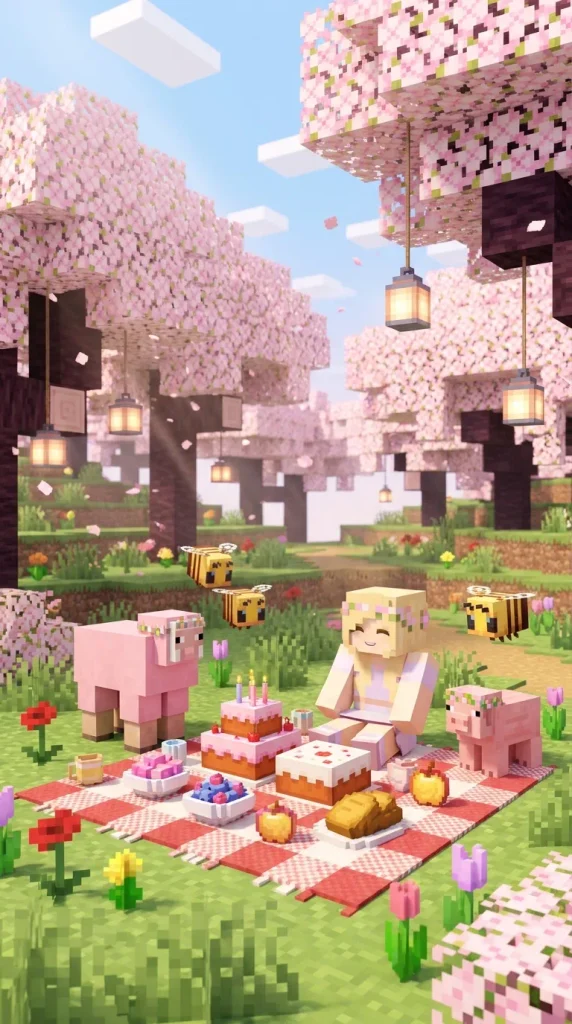
Set the wallpaper environment inside a lush cherry blossom grove biome filled with towering pink leaf canopies and drifting petal particles. Lay out a picnic spread on the green grass using a checkered red-and-white wool blanket topped with whole cakes, sweet berries, and golden apples in wooden bowls. Position friendly passive mobs—including pink sheep, baby pigs, and bees wearing tiny floral crowns—gathered around the birthday character. Hang delicate paper-style lanterns from the arching dark cherry wood branches to cast soft, diffused ambient light. Set the depth of field to keep the picnic scene in sharp focus while softly blurring the sunlit mountain background for a serene, pastel birthday aesthetic.
Idea 4: Nether Fortress Glow Party
Execution Process
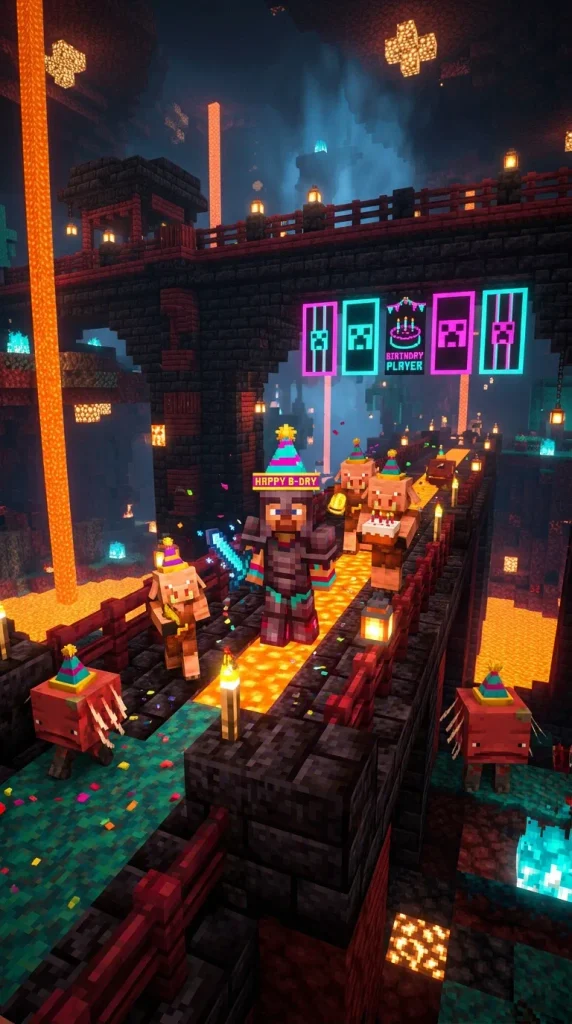
Construct an architectural scene inside a modernized Nether fortress built from polished blackstone bricks, crimson wood planks, and gilded blackstone. Illuminate the backdrop with glowing shroomlights, soul campfires, and vertical lava falls framed by tinted glass. Position the birthday character holding a netherite sword aloft beside friendly piglins and striders wearing festive gold-trimmed party hats. Hang custom glowing banners dyed in bright neon cyan and magenta across the bridge battlements to spell out the milestone age. Utilize high-contrast volumetric lighting shaders to create dramatic blue soul-fire reflections across the polished floor tiles, producing a dark, glowing party atmosphere with an adventurous, high-level survival gaming theme.

Idea 5: Neon Cyberpunk Pixel City
How to Make
Design a futuristic city street using cyan concrete, smooth basalt, and sea lanterns, framed by massive pixel-art neon signs displaying birthday greetings and celebratory voxel numerals. Position the main character standing on a raised glass skybridge overlooking the bustling voxel cityscape below. Incorporate glowing allays carrying wrapped gift packages through the air alongside colorful stream trails of light. Use extreme reflection shaders on wet pavement blocks and glass panels to bounce vibrant pink, purple, and turquoise neon highlights throughout the frame. Frame the camera in a vertical mobile format with an upward perspective, creating a striking, high-tech celebratory wallpaper perfect for smartphone screens.
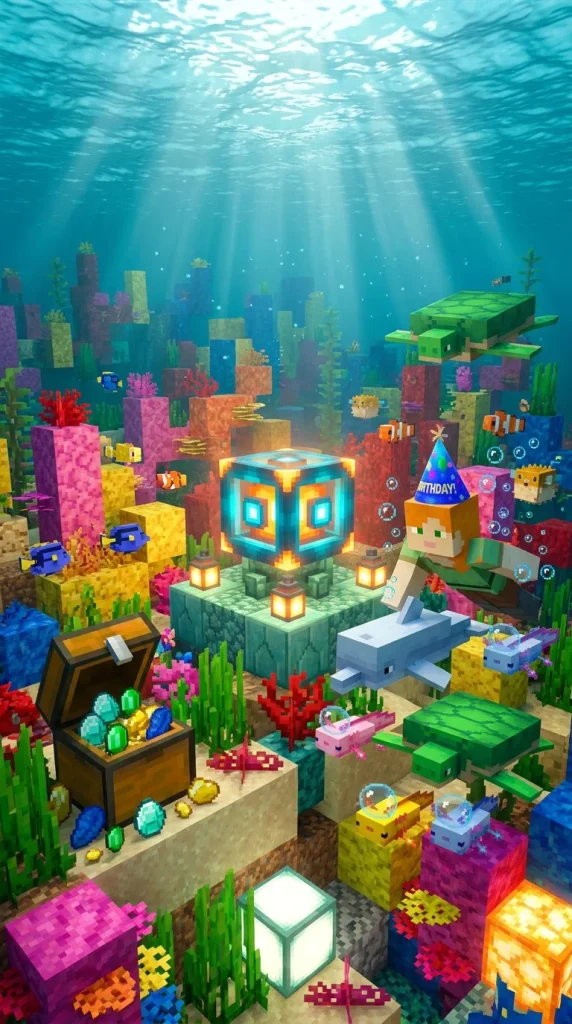
Idea 6: Underwater Conduit Coral Festival
Step-by-Step Guide
Submerge the celebratory scene inside a vibrant warm ocean coral reef surrounding an active glowing conduit monument. Arrange colorful brain coral, fire coral, and sea pickles across the seabed to generate a luminous, multi-colored marine environment. Position the birthday player swimming alongside dolphins, sea turtles, and axolotls wearing tiny festive underwater bubbles. Place a waterlogged chest overflowing with diamonds, emeralds, and enchanted books directly beneath a floating banner celebrating the special day. Render the scene with realistic underwater caustics and volumetric light shafts filtering down from the ocean surface, creating a dreamy, luminous, aquatically themed celebration backdrop.
Idea 7: Cozy Taiga Campfire Celebration
Setup Method
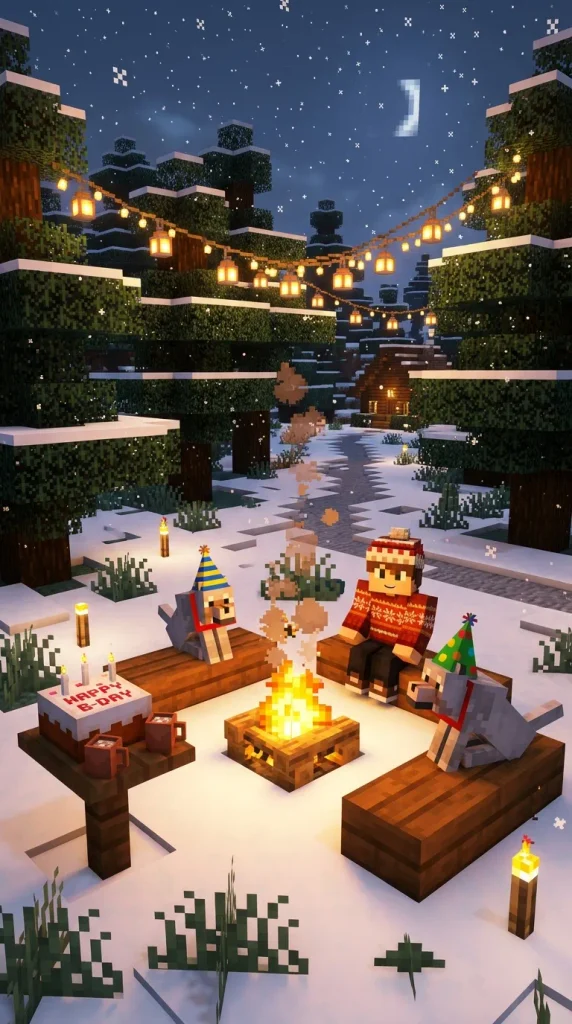
Frame an evening scene in a snowy taiga forest centered around a crackling campfire surrounded by stripped spruce log benches. Dress the birthday character in a cozy knitted winter skin, roasting sweet berries on a stick alongside friendly tamed wolves wearing festive colored collars and party hats. Scatter snow layers on surrounding spruce trees and string warm fairy lights—made of end rods and yellow wool—between the tree trunks. Place a decorative wood table nearby holding a freshly placed cake and hot cocoa mugs made of clay flower pots. Render soft, warm orange campfire light spilling across the reflective white snow, evoking a cozy, peaceful winter birthday gathering.
Idea 8: The Skyblock Island Milestone
How to Make
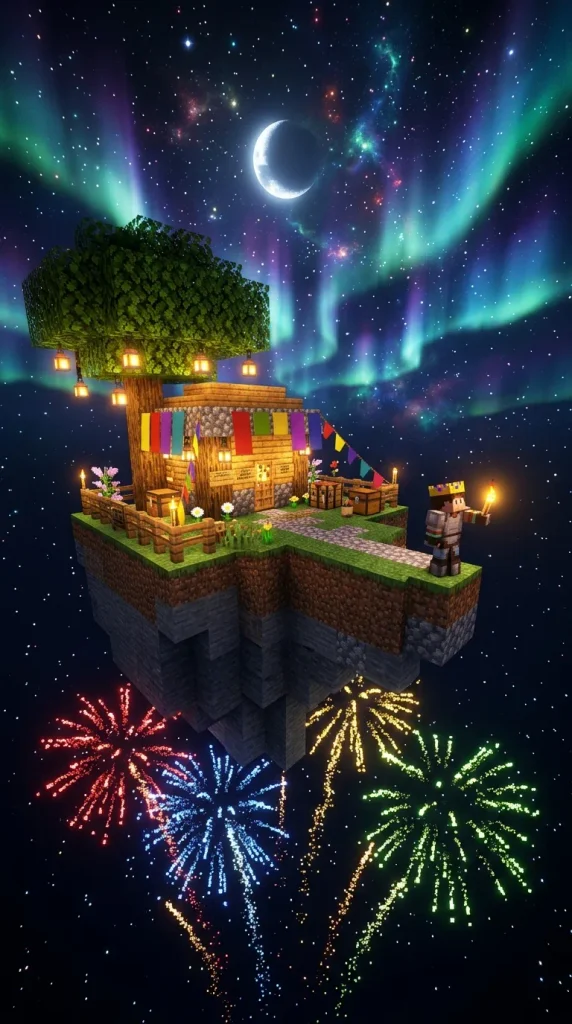
Position a classic L-shaped floating Skyblock island suspended against a vast, starry night sky illuminated by a giant crescent moon and colorful aurora borealis waves. Build a small cobblestone generator, an oak tree hung with festive paper lanterns, and a party-decorated wooden hut on the floating plot. Position the birthday character standing triumphantly at the edge of the island, holding a glowing birthday torch while fireworks burst in the surrounding open void. Render the scene with dramatic wide-angle perspective to emphasize the infinite sky and magical cosmic atmosphere, producing an inspirational, adventure-driven celebratory wallpaper.
Idea 9: Pastel Kawaii Axolotl Cove
Execution Process
Construct a dreamy, pastel-colored cave grotto using smooth quartz, pink dripstone, amethyst crystal clusters, and glowing spore blossoms. Fill a shallow crystal-clear pond with swimming pink and yellow baby axolotls gathered around a floating water-lily platform supporting a strawberry-frosted voxel cake. Position the player character dressed in a soft pastel aesthetic skin, surrounded by floating heart particles and soft glowing fairy lights. Utilize soft bloom lighting and warm pastel color grading to highlight the translucent glitter of the amethyst crystals and water reflections, creating an adorable, gentle aesthetic favored by younger players and fans of cute gaming themes.
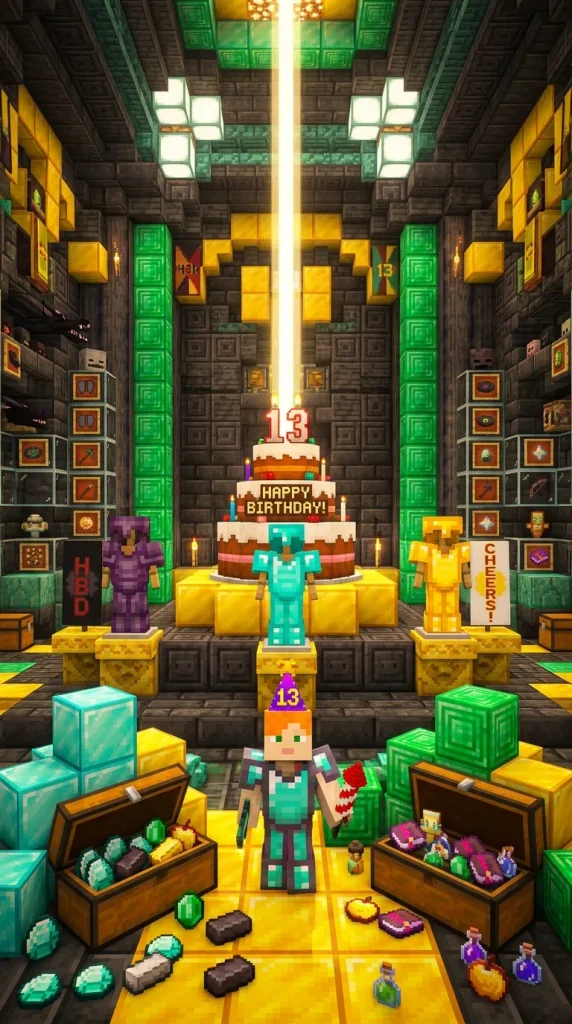
Idea 10: The Ultimate Netherite Vault Showcase
How to Create
Construct an opulent treasure vault built with chiseled deepslate, gold blocks, and emerald pillars, centered around an ornate trophy pedestal. Place a grand three-tiered voxel birthday cake topped with glowing beacon beams in the direct center of the vault floor. Flank the display with armor stands showcasing complete sets of netherite, diamond, and gold armor holding custom celebration banners. Position the birthday character in the foreground surrounded by stacked diamond blocks, golden apples, and opened treasure chests filled with rare in-game loot. Utilize realistic metallic reflection shaders to give the gold and diamond surfaces a polished, mirror-like gleam, producing an empowering, high-achievement celebratory display.

Common Beginner Mistakes and How to Avoid Them
A frequent beginner mistake when composing Minecraft birthday wallpapers is overcrowding the scene with too many clashing mob models and text elements, resulting in chaotic visual clutter that obscures the main celebration theme. Maintain a clear visual hierarchy by keeping the birthday character and central cake as the primary focal points while spacing supporting mobs evenly across the background. Another common error is neglecting proper camera field-of-view settings; extremely wide FOV angles cause severe barrel distortion that warps block shapes along screen borders. Keep your focal length between thirty-five and fifty millimeters for a natural, undistorted composition. Additionally, avoid flat lighting by incorporating multi-point light sources—such as lanterns, torches, and colored rim lights—to give 3D block models defined depth and clean separation from the background.
Practical Tips for Better Results
To achieve professional-quality wallpaper renders, always render at a resolution higher than your target display to allow crisp downsampling without pixelation artifacts. When positioning custom text such as names or ages, place typography away from standard phone interface elements like lock-screen clock widgets and app icon grids. Use subtle depth of field to blur non-essential background details, drawing immediate viewer focus to the celebratory foreground assets. Incorporate particle effects like confetti, floating embers, or shimmering enchantment runes at low opacity to add atmosphere without distracting from the main characters. Finally, color grade the final render using photo editing tools to balance shadows, boost warm highlights, and harmonize overall saturation for an elevated digital finish.
Styling, Presentation, or Organization Ideas
Effectively presenting and sharing digital birthday wallpapers involves optimizing file delivery and pairing the graphic with coordinated celebration items. Export finished designs in lossless PNG format to preserve crisp voxel edges and prevent compression artifacts on high-density OLED mobile screens. Create matching variations of the same scene—such as a clean version without text for desktop wallpapers and a portrait version formatted specifically for phone lock screens. If using the wallpaper for in-person gaming parties, print the high-resolution render as a custom poster, cake topper backdrop, or personalized invitation card. Storing design project files in clearly labeled asset folders with separate texture and lighting layers ensures you can quickly update character skins and milestone dates for future birthdays.
Budget or Time Planning
Creating custom Minecraft birthday wallpapers is an economical, highly creative project that can be completed entirely with free or open-source software tools. Using free applications like Blender or Mine-imator combined with community-shared voxel rigs eliminates software licensing costs, requiring only an investment of personal design time. A straightforward in-game screenshot setup using shaders and creative mode construction takes roughly thirty to forty-five minutes to build and capture. For advanced 3D animated renders involving custom character rigging, dynamic particle simulation, and high-sample rendering, allocate two to three hours from concept modeling to final color grading. Organizing your character skins and prop assets beforehand streamlines the design workflow significantly.
Creative Expansion and Advanced Inspiration
Once you master static wallpaper compositions, consider expanding your birthday graphics into dynamic animated loops and interactive displays. Export short three-to-five-second looping MP4 or GIF animations featuring flickering candlelight, drifting cherry petals, or rising firework sparks to create animated live wallpapers for desktop and mobile devices. Experiment with building custom birthday adventure maps inside the game where the recipient can explore the actual 3D party environment showcased in the wallpaper. You can also integrate custom QR codes into printable poster versions that link directly to personalized video messages or custom skin downloads. Exploring these creative digital avenues turns a simple desktop graphic into an interactive, memorable celebration experience.